Looking to supercharge your Mac workflow? You’re not alone. With professionals juggling an average of 35 different applications daily, finding the right productivity tool has never been more crucial. Enter Raycast – the AI-powered launcher that’s revolutionizing how Mac users interact with their computers.
What is Raycast?
It is more than just another Spotlight replacement. Developed by Raycast Technologies Ltd., this powerful productivity suite transforms how you interact with your Mac. Think of it as your personal command center, offering lightning-fast access to applications, files, and an extensive collection of productivity tools – all from a single, elegant interface.
Why Raycast Stands Out
Unlike traditional launchers, it brings artificial intelligence to your fingertips. By integrating natural language processing, you can simply type or speak commands in plain English. Need to convert currencies, manage your clipboard history, or access your favorite development tools? Raycast handles it all with remarkable speed and precision.
Game-Changing Features That Boost Your Workflow
Intelligent Productivity Tools
Imagine having your entire productivity suite accessible with just a few keystrokes. Raycast’s integrated tools include:
- Smart clipboard history management
- Floating notes for quick thoughts
- Built-in calculator with advanced functions
- Customizable quick links for frequent tasks
AI-Powered Efficiency
The future of productivity is here with its AI integration:
- Natural language command processing
- Intelligent task automation
- Predictive command suggestions
- Coding assistance for developers
Developer-Friendly Environment
For the coding community, it is a game-changer:
- Over 1,300 community-created extensions
- Custom extension development using React and TypeScript
- Seamless integration with GitHub and other development tools
- Powerful snippet management system
Community and Customization
The Raycast Store has become a thriving ecosystem:
- Access to hundreds of user-created extensions
- Active community sharing and collaboration
- Regular updates and improvements
- Extensive customization options
User Experience That Makes Sense
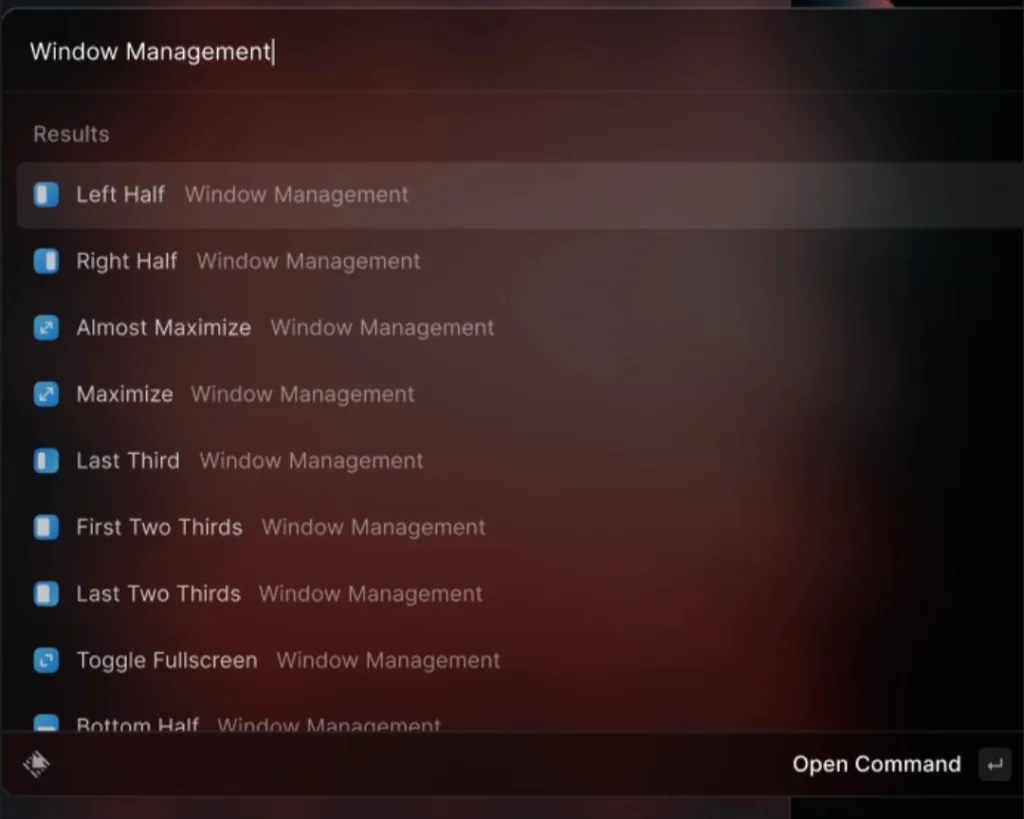
Getting started with Raycast is refreshingly simple. The default keyboard shortcut (⌥ Option + Space) brings up a clean, responsive interface that feels natural and intuitive. The incremental search feature anticipates your needs, displaying relevant results as you type.
Pricing That Works for Everyone
It believes in accessibility:
- Comprehensive free tier with core features
- Pro subscription for advanced AI capabilities
- Premium extensions for specialized needs
Real Users, Real Results
Developers and professionals across industries report significant productivity gains after adopting Raycast. One software development team reported cutting their task-switching time by 50% using Raycast’s integrated development tools and custom workflows.
Pros and Cons: The Complete Picture
What We Love
- Comprehensive productivity suite
- Highly customizable interface
- Lightning-fast performance
- Rich extension ecosystem
- Active community support
Room for Improvement
- macOS exclusivity limits cross-platform users
- Initial learning curve for advanced features
- Some premium features require subscription
Making the Most of it
To maximize your Raycast experience:
- Start with the core features
- Gradually explore extensions
- Customize shortcuts for your workflow
- Join the community for tips and tricks
- Experiment with AI capabilities
The Future of Mac Productivity
It isn’t just another productivity tool – it’s a glimpse into the future of how we’ll interact with our computers. By combining AI capabilities with traditional productivity features, Raycast creates a seamless, efficient workspace that adapts to your needs.
Transform Your Workflow Today
Ready to revolutionize your Mac experience? Download it for free and join thousands of users who’ve already transformed their productivity. Visit the official Raycast website to get started, and explore the extensive documentation to unlock its full potential.
Remember, in today’s fast-paced digital world, the right tools make all the difference. Raycast isn’t just about doing things faster – it’s about working smart.
For more cool ai tools visit our website.